
You can update the information associated with the insurance carrier as needed.
To change the information for an insurance carrier
1. In the Family File select a patient.
2. Double-click the Insurance card.
The Insurance Information dialog box appears.
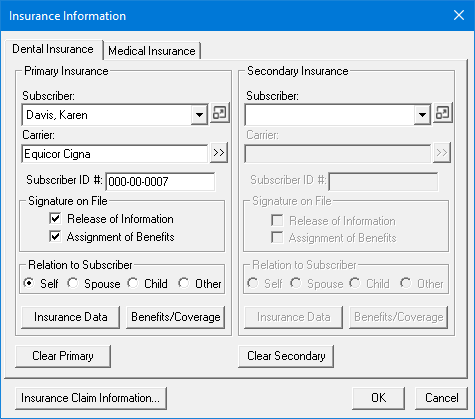
3. Click Insurance Data.
The Primary Dental Insurance Plan Information dialog box appears.
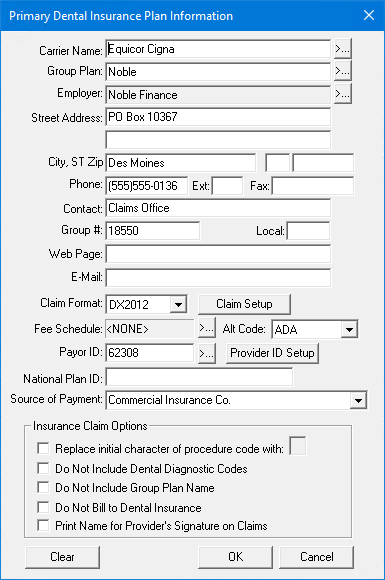
4. Make any necessary changes, and then click OK.
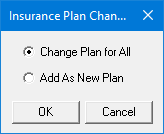
The Insurance Plan Changes dialog box appears.
Note: For information on setting up a Provider ID, click Setting up provider IDs.
5. Select how you want to apply the plan change, and then click OK:
Change Plan for All - Changes to the existing insurance plan information are updated for all other subscribers who have the same insurance plan.
Add as New Plan - Copies all of the insurance information for the current subscriber and adds the changed insurance plan without changing the original plan.